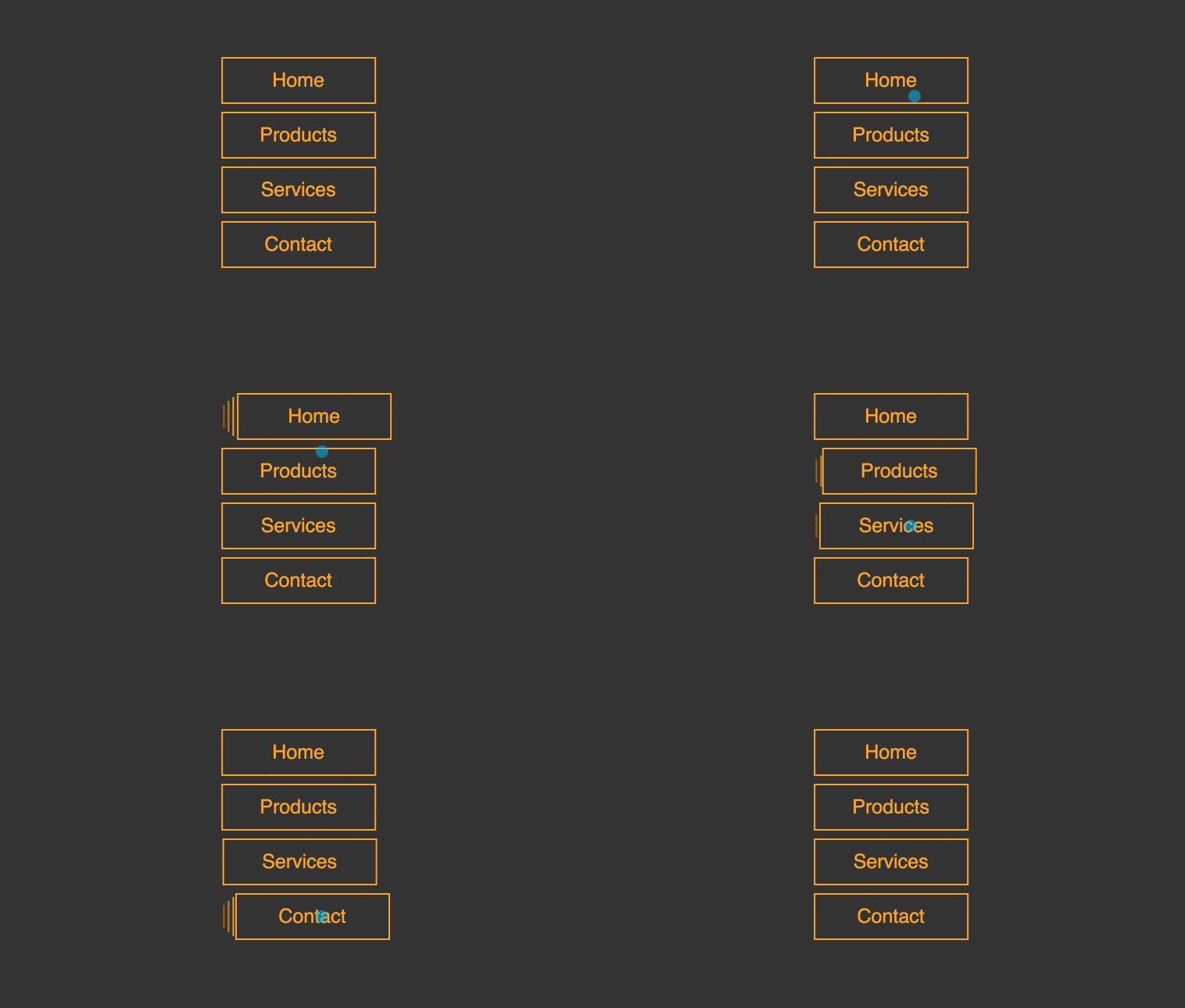
Multiple line button hover effects using css and html. This can be used for vertical menus. Demo, code snippet and download options available.
Author Comehope
Official Page: Go to website
Created SEPTEMBER 13, 2018
License Open
Compatible browsers Chrome, Firefox, Opera, Safari
HTML Snippet
`<nav> <ul> <li><span>home</span></li> <li><span>products</span></li> <li><span>services</span></li> <li><span>contact</span></li> </ul> </nav>`CSS Code
`body { margin: 0; height: 100vh; display: flex; align-items: center; justify-content: center; background-color: #333; } nav ul { padding: 0; list-style-type: none; transform: translateX(0.65em); } nav li { width: 8em; height: 2em; font-size: 25px; color: orange; box-sizing: border-box; border-left: 0.08em solid; position: relative; margin-top: 0.8em; cursor: pointer; } nav li::before, nav li::after { content: ''; position: absolute; width: inherit; border-left: 0.08em solid; z-index: -1; } nav li::before { height: 80%; top: 10%; left: -0.3em; filter: brightness(0.8); } nav li::after { height: 60%; top: 20%; left: -0.55em; filter: brightness(0.6); } nav li:hover span { transform: translateX(0.15em); } nav li span { position: relative; height: 120%; top: -10%; box-sizing: border-box; border: 0.08em solid; background-color: #333; display: flex; align-items: center; justify-content: center; font-family: sans-serif; text-transform: capitalize; transform: translateX(-0.65em); transition: 0.3s; }`Preview